
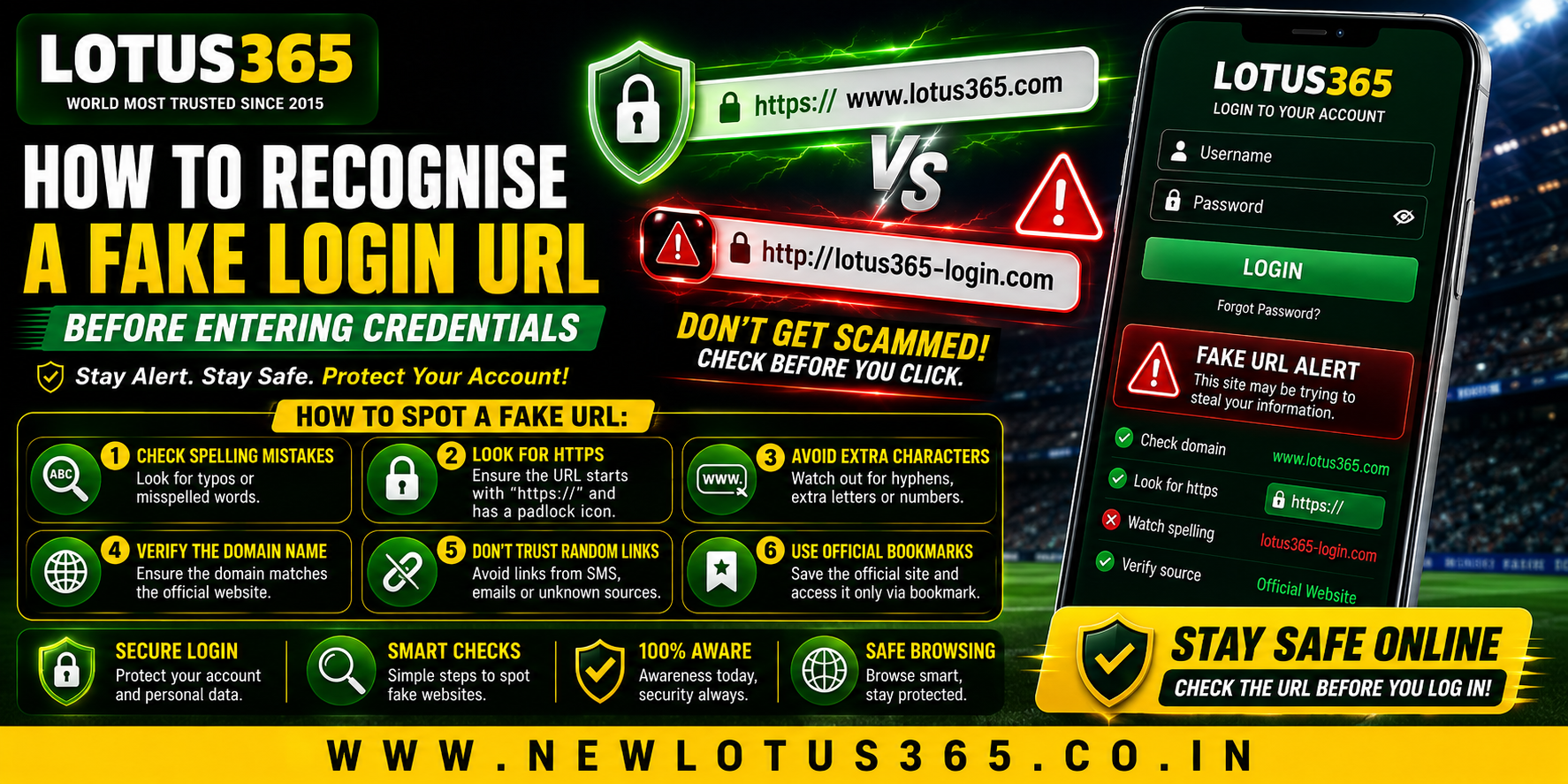
 How to Recognise a Fake Login URL Before Entering Credentials
 2026-08-18
Introduction
A login page can look almost identical to a legitimate website while being designed to collect usernames, passwords, or other sensitive information. For users accessing Lotus365 or any other online platform, checking the URL before entering credentials is one of the simplest security habits to develop. A few seconds of verification can help reduce the risk of phishing and other account-related threats.
What Is a Fake Login URL?
A fake login URL is a web address created to imitate a legitimate service. Attackers may use a familiar brand name, similar spelling, unusual domains, or misleading links to make a page appear genuine.
These pages can be distributed through:
- Unsolicited messages
- Emails
- Social media posts
- Search advertisements
- Unknown websites
- Messaging applications
- Suspicious QR codes
The goal is usually to persuade users to enter confidential information.
1. Check the Domain Name Carefully
The domain is one of the most important things to inspect.
Look beyond the general appearance of the page and examine the actual web address. A fake site might use a spelling variation or add extra words around a familiar brand name.
For example, a suspicious address could contain:
- Unusual spelling
- Extra hyphens
- Unexpected numbers
- Additional words
- An unfamiliar domain extension
A professional-looking website does not automatically mean the URL is legitimate.
2. Look for HTTPS, But Do Not Rely on It Alone
A legitimate login page should normally use HTTPS, which encrypts communication between your browser and the website.
However, HTTPS does not prove that a website is genuine. Phishing websites can also obtain valid HTTPS certificates.
Therefore, use HTTPS as one security signal rather than treating the padlock as proof of authenticity.
3. Be Careful With Shortened Links
Shortened URLs can hide the destination address.
If someone sends you a shortened link claiming to provide account access, avoid entering credentials until you know where the link leads.
Instead, navigate to the service using a trusted route that you already know.
4. Avoid Login Links From Unexpected Messages
Unexpected messages deserve additional caution.
A message may claim:
- Your account will be suspended.
- You need to verify your identity.
- A payment requires confirmation.
- Your password has expired.
- You have received a special offer.
- Your account needs immediate attention.
Urgency is a common phishing technique because it encourages people to act before checking the details.
5. Verify the Website Independently
If you receive a login link, do not automatically use it.
A safer approach is to independently find the official website through a trusted source or use a previously saved legitimate bookmark.
This removes the suspicious link from the decision-making process.
6. Inspect the Entire URL
The beginning of a URL can sometimes be misleading. Attackers may create addresses containing a familiar brand name somewhere within a much longer domain.
Do not look only at the first few words.
Check:
- The actual domain
- The spelling
- The domain extension
- Unexpected subdomains
- Strange characters
- Unfamiliar paths
When in doubt, do not enter your credentials.
7. Watch for Browser Security Warnings
Modern browsers can warn users about websites suspected of phishing or other security problems.
Never ignore a warning simply because the page appears familiar.
If your browser displays a security alert:
- Stop entering information.
- Close the page.
- Verify the website independently.
- Use an official support channel if necessary.
8. Check for Unusual Login Behaviour
A suspicious login page may ask for more information than expected.
Be cautious if a page suddenly requests:
- Passwords
- One-time verification codes
- Banking information
- Card details
- Security answers
- Unnecessary personal information
A request for sensitive information should always have a clear and legitimate reason.
9. Protect Your Lotus365 ID
If you use a Lotus365 ID, keep your login credentials private and never share your password or verification codes with another person.
Avoid saving credentials on unfamiliar devices, especially public computers or shared smartphones.
Using a unique password also reduces the damage if credentials from another website are compromised.
10. What to Do If You Entered Credentials on a Fake Site
Act quickly if you suspect that you entered your details on a fraudulent page.
Recommended steps include:
- Change the affected password immediately.
- Change the same password on other accounts if it was reused.
- Enable available two-factor authentication.
- Review recent account activity.
- Contact the legitimate service through an official channel.
- Report the suspicious website where appropriate.
Do not wait for suspicious activity to appear before protecting the account.
Mobile Users Should Be Extra Careful
Smartphone screens can make URLs harder to inspect than desktop browsers. Before logging in through the Lotus365 app or mobile browser, verify that you are using the legitimate application or website source.
Avoid downloading unknown APK files or installing applications shared through unsolicited messages.
Quick Fake URL Checklist
Before entering credentials, ask:
- Is the domain spelled correctly?
- Did I navigate here intentionally?
- Did the link come from a trusted source?
- Does the browser show a security warning?
- Is HTTPS enabled?
- Is the website asking for unusual information?
- Can I independently verify the official website?
If something feels wrong, stop and verify before continuing.
Conclusion
Recognising a fake login URL starts with slowing down and checking the actual destination rather than trusting the appearance of a webpage. Examine the domain carefully, be cautious with unexpected links, and remember that HTTPS alone does not guarantee legitimacy.
For mobile users, independent verification is especially useful because small screens can make suspicious URLs harder to notice. Protecting passwords and verification codes is equally important. When there is any doubt, avoid entering credentials until the website has been confirmed through a trusted source.
FAQs
How can I identify a fake login URL?
Check the exact domain name, spelling, extension, unusual characters, and unexpected subdomains. Do not rely solely on the appearance of the page.
Does HTTPS mean a website is legitimate?
No. HTTPS encrypts communication, but phishing websites can also use HTTPS. Always verify the domain independently.
Should I click login links received by email?
Unexpected login links should be treated cautiously. It is generally safer to navigate independently to the legitimate website rather than using an unsolicited link.
What should I do if I entered my password on a fake website?
Change the password immediately, update it anywhere else it was reused, enable additional security features where available, and contact the legitimate service through an official channel.
Is a shortened URL safe?
Not automatically. Shortened URLs can hide their destination, so users should verify the destination before entering sensitive information.